For club managers
Hunting club management, from the property line to the last stand.
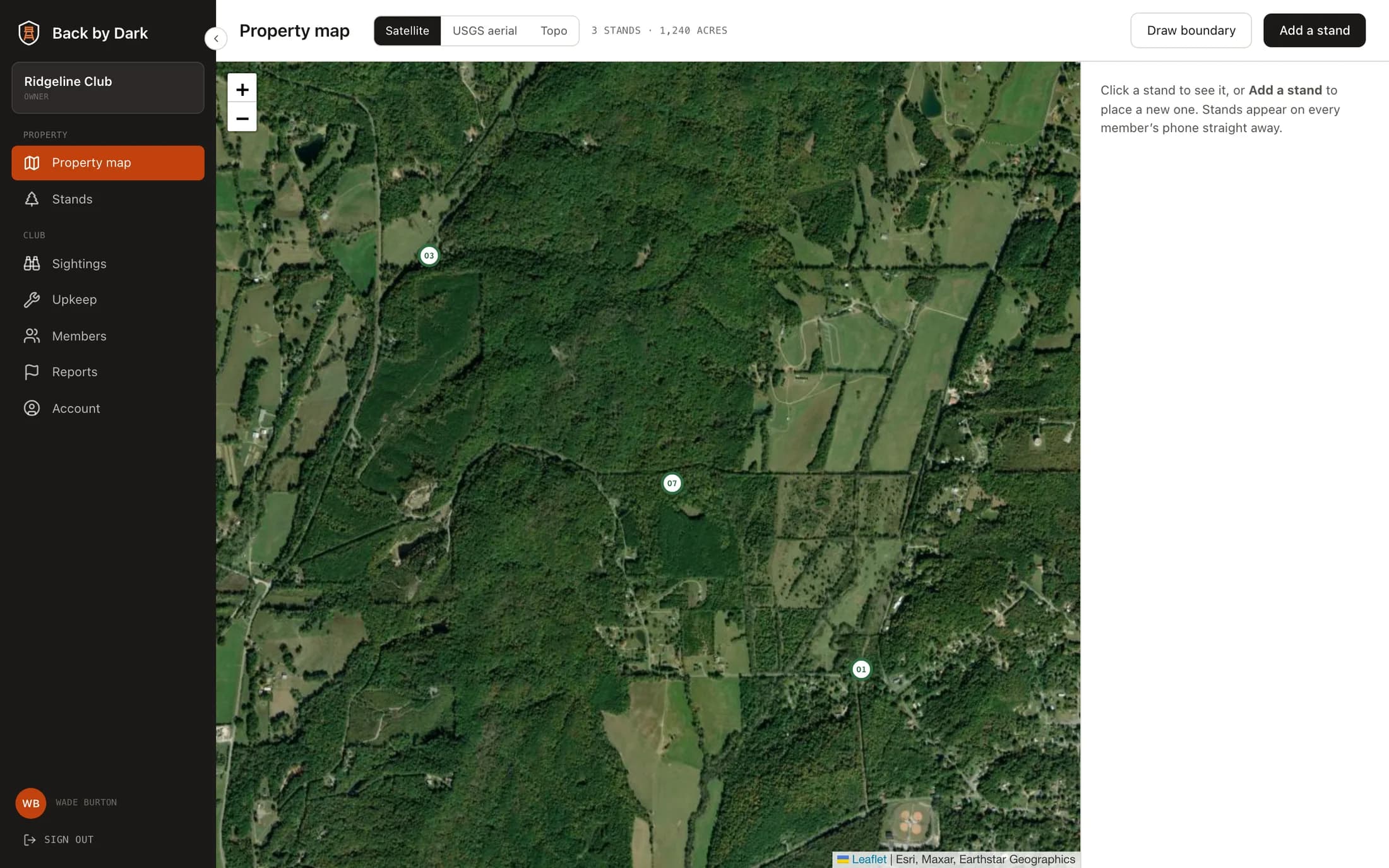
The Back by Dark console is where a club is set up and kept running. Map the ground, place and tag your stands, and manage who hunts it. Every change is on each member’s phone straight away.
Getting set up
A club is ready in an afternoon.
Four steps, all from a browser. Nothing to install for the manager; members get the phone app.
- 01
Draw the property
Trace the boundary over satellite imagery, USGS aerials or topo contours.
- 02
Place every stand
Drop each stand where it stands, with its type, height, seats, access notes and the winds it hunts.
- 03
Print the tags
Print a scan tag for each stand and fix it where a member climbs in.
- 04
Add your members
Invite members and give each a role. They sign in on their phones and see the same map.
Stands
Every stand, its wind, and its tag.
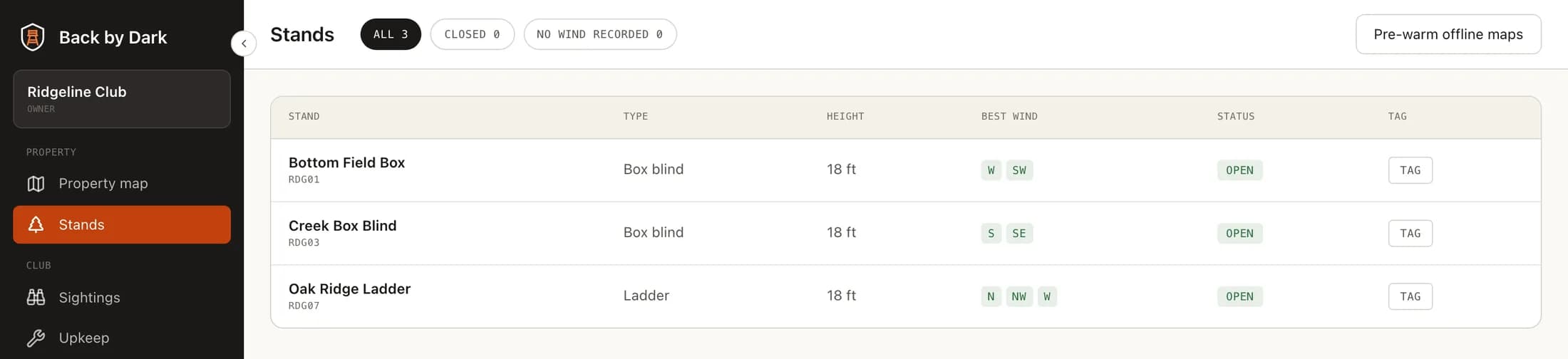
The stand list shows each stand's type, height, the winds it hunts and whether it is open. Filter for stands that are closed or have no wind recorded, and pre-warm the offline maps members will download.
- Tags you print. Each stand gets its own QR tag with a typed backup code. If one goes missing, issue a new one — the old tag stops working.
- Offline-ready. Pre-warm the map tiles for your property so members’ downloads are quick before a hunt.
Members
Who hunts your ground, and in what role.
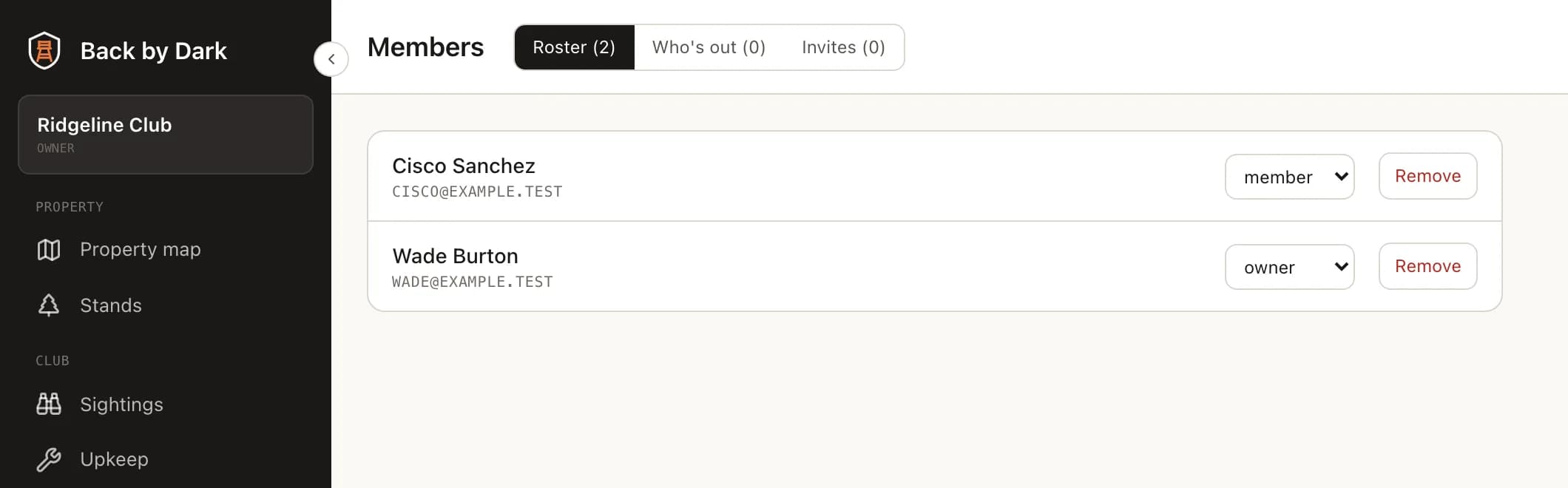
Invite members, set who is a member, manager or owner, and see who is out right now. Removing a member takes effect on their very next request — not whenever their sign-in happens to expire.
Through the season
What comes back to the manager.
An upkeep list
When a member reports a loose rung, a torn blind or wasps in a box stand, it lands on the upkeep list with how serious they said it is.
The club’s sightings
Game, blood trails, blocked trails and trespassers, dropped where they were seen, with photos — the property’s record of its own season.
Overdue alerts
A member thirty minutes past check-out is asked if they are all right; at forty-five minutes managers see them flagged; at an hour, their emergency contact.
What members get
The same map, in their pocket.
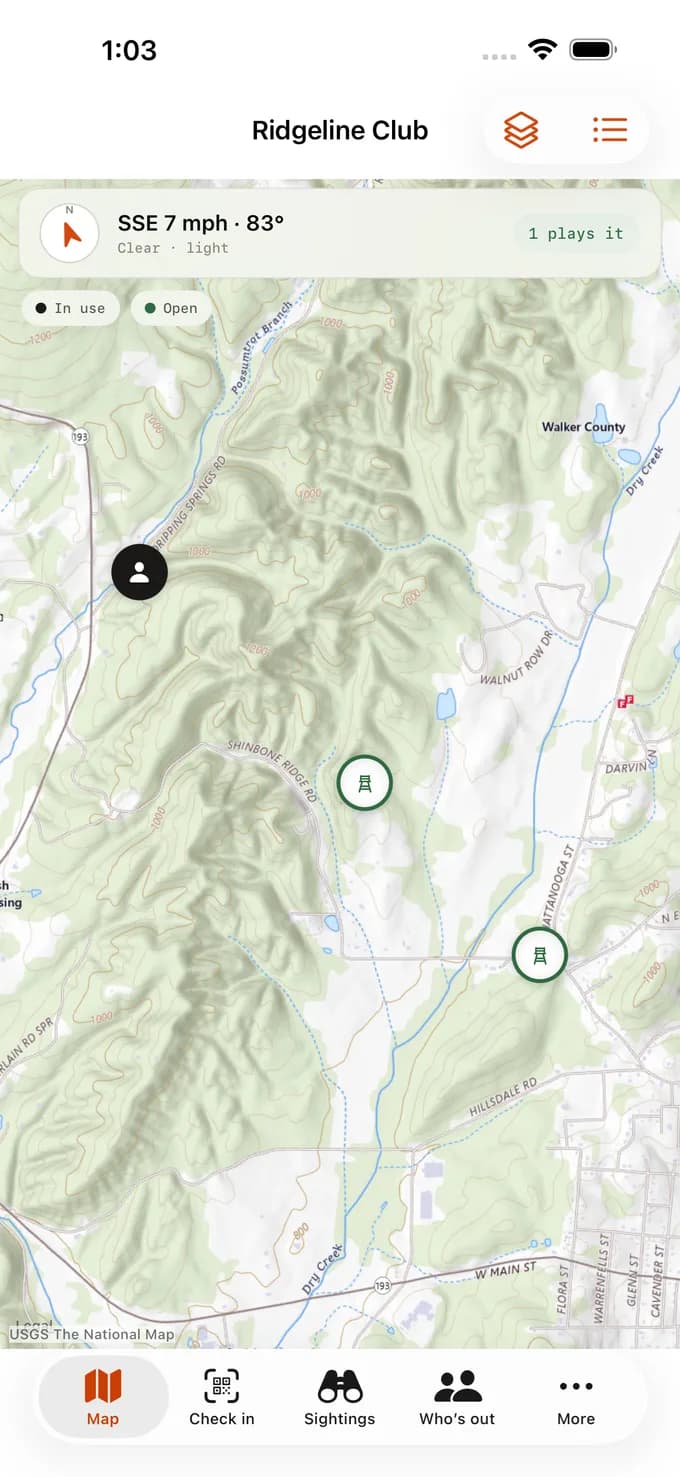
Members see every stand with today’s wind, book one, scan in when they climb up and check out when they come down. It all works with no signal.
- iPhone · In App ReviewApp Store
- Android · Coming nextGoogle Play
Ready to put your club on the map?
Tell us your club’s name and roughly how many stands and members you have, and we will help you get set up.